Design process
From midterm prototype to final dashboard
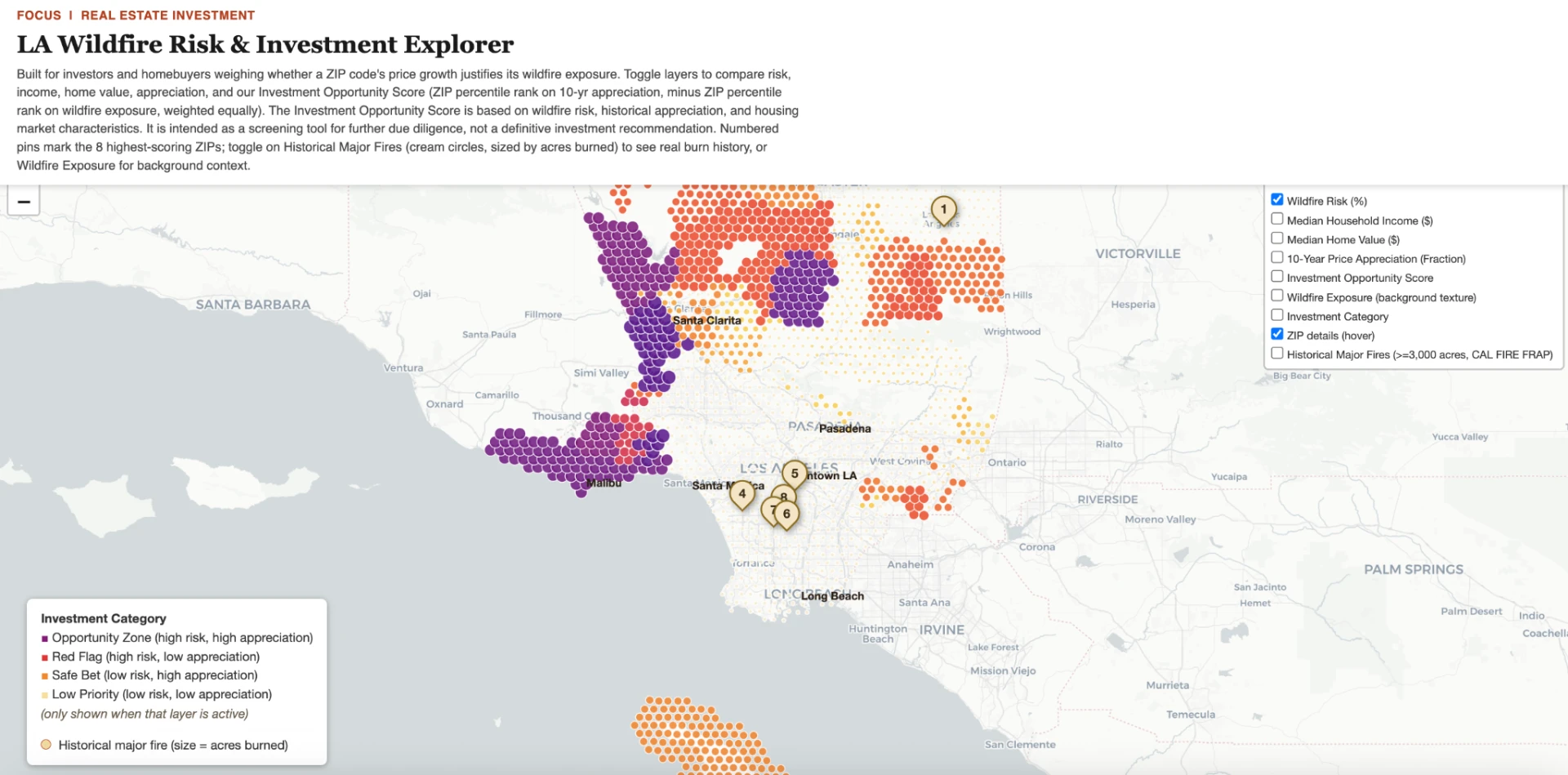
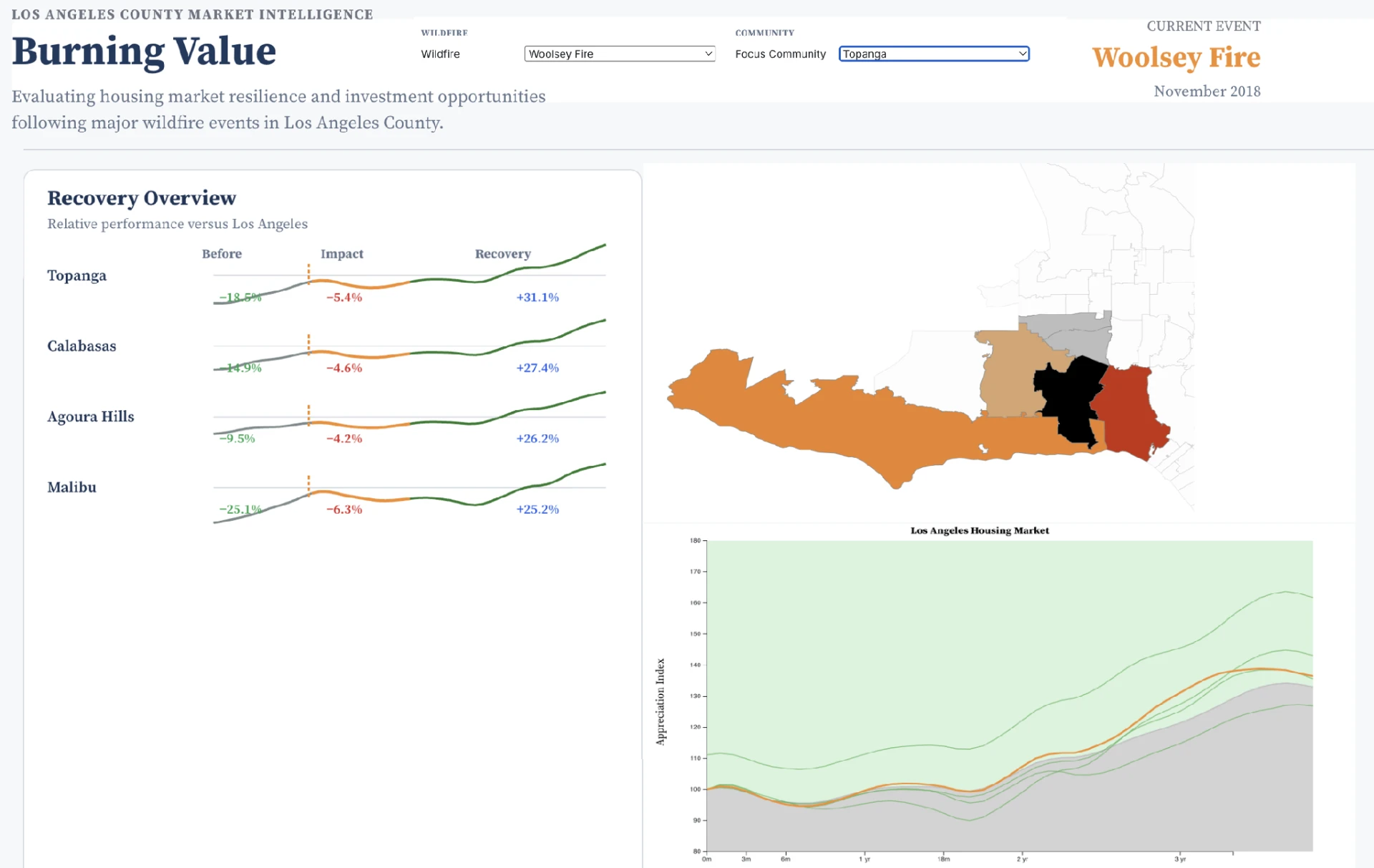
The visualization went through three distinct directions before landing here - a static wildfire map, a hex-dot Investment Explorer, and an abandoned Observable recovery-timeline prototype. What survived is the risk/growth/investment framing, because it tested best with the people we actually put in front of it.
Where it started
Usability study
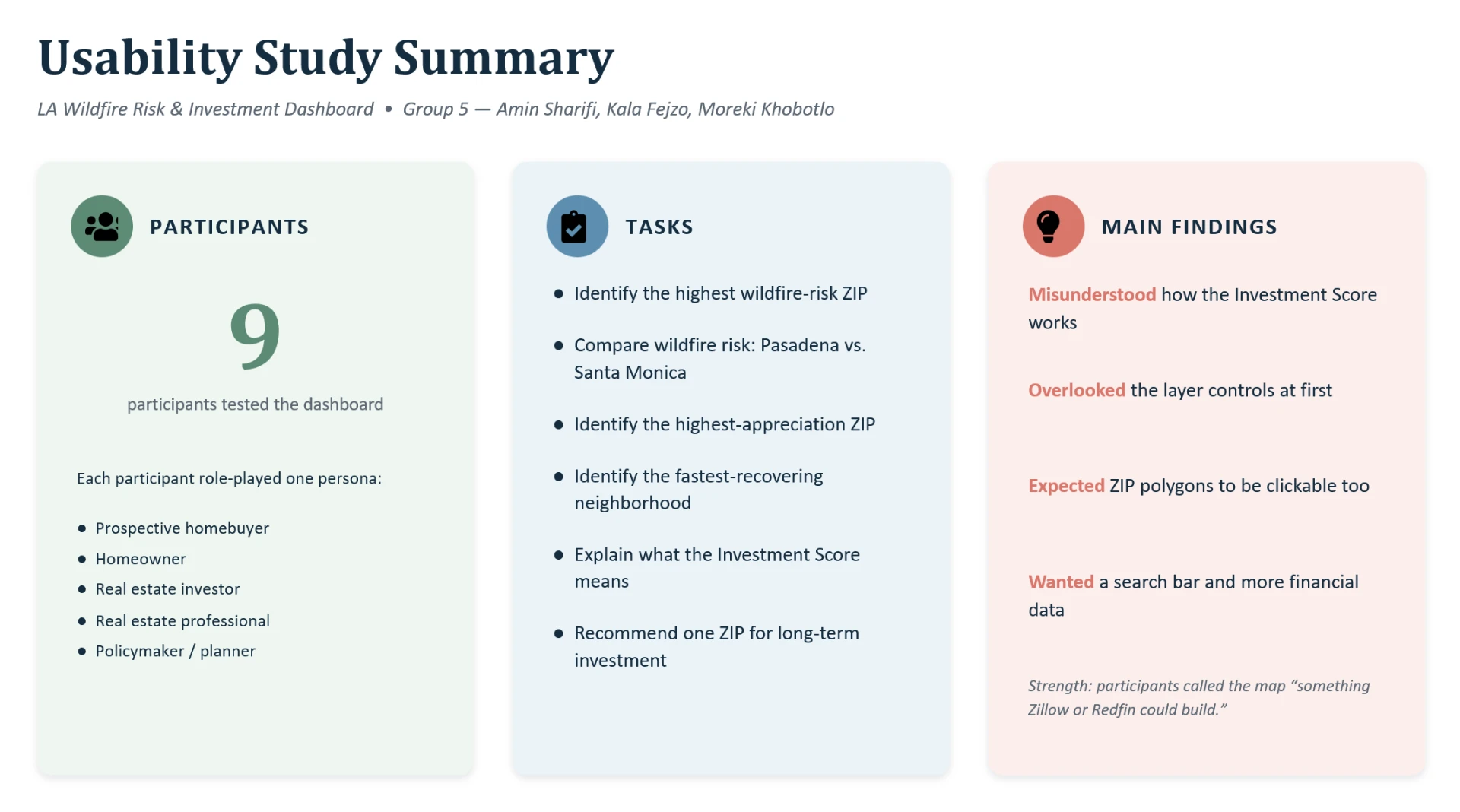
Nine participants each chose a persona to role-play - prospective homebuyer, homeowner, investor, real estate professional, or policymaker - and worked through three task sets: wildfire risk assessment, housing market recovery, and an investment recommendation they had to justify. All nine completed every task with minimal or no assistance.
What worked
- Tasks completed with little to no assistance.
- Read as visually polished and professional.
- Choropleth and wildfire layer interpreted correctly.
- The Investment Category layer narrowed choices quickly.
- Value in having wildfire, housing, and investment data in one place.
What didn't
- The Investment Score was used but not understood.
- Layer controls were overlooked entirely by some users.
- Users expected ZIP polygons themselves to be clickable.
- A search bar was requested for faster navigation.
- Popups wanted more: insurance cost, inventory, school ratings, rental yield, fire history.
| Priority | Finding | Improvement | Status |
|---|---|---|---|
| Must | The Investment Score's calculation wasn't understood | ⓘ explainer next to the score | Done |
| Must | Layer controls were overlooked | Enlarged, bordered, labeled "Map layers - toggle to explore" | Done |
| Should | Users expected ZIP polygons to be clickable | Click/tap popups on every ZIP polygon | Done |
| Should | No fast way to locate a neighborhood | ZIP/city search box | Done |
| Could | Requests for insurance costs, rental yield, inventory, school data | Additional popup datasets | Not this pass - blocked on sourcing new data |
| Could | Investment terminology unfamiliar to less experienced users | Glossary and tooltips | Partially done |
| Won't | Predict future home values or insurance premiums | - | Out of scope |
Four of the six actionable findings - both Must Haves and both Should Haves - are in the current build. The remaining Could Haves are blocked on sourcing new datasets rather than on interface work, which makes them the natural next step.
Change log
Change 01
Before
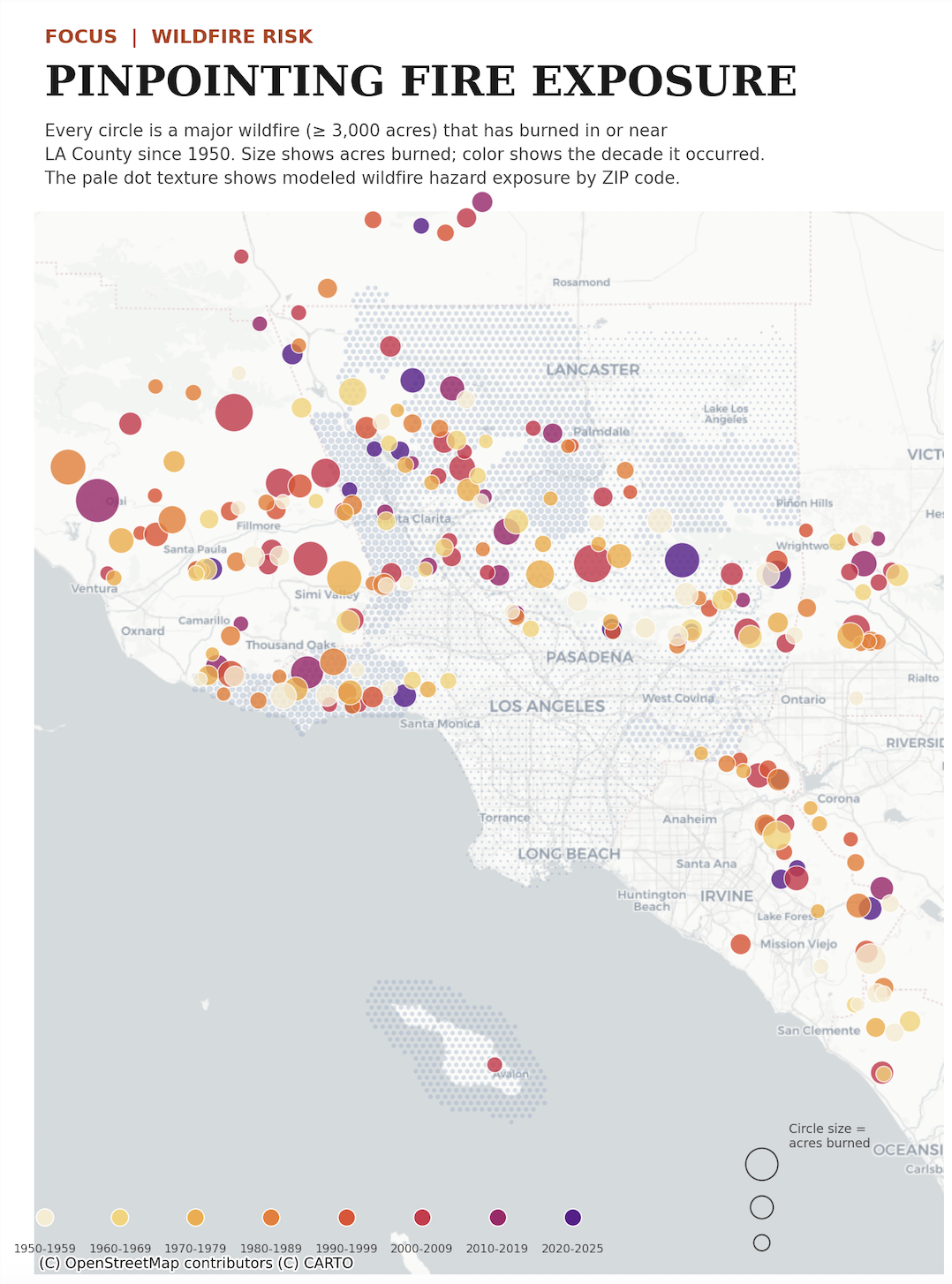
Iteration 1 had no investment framing - just historical fire locations sized by acres burned, with no way to compare neighborhoods as opportunities.
After
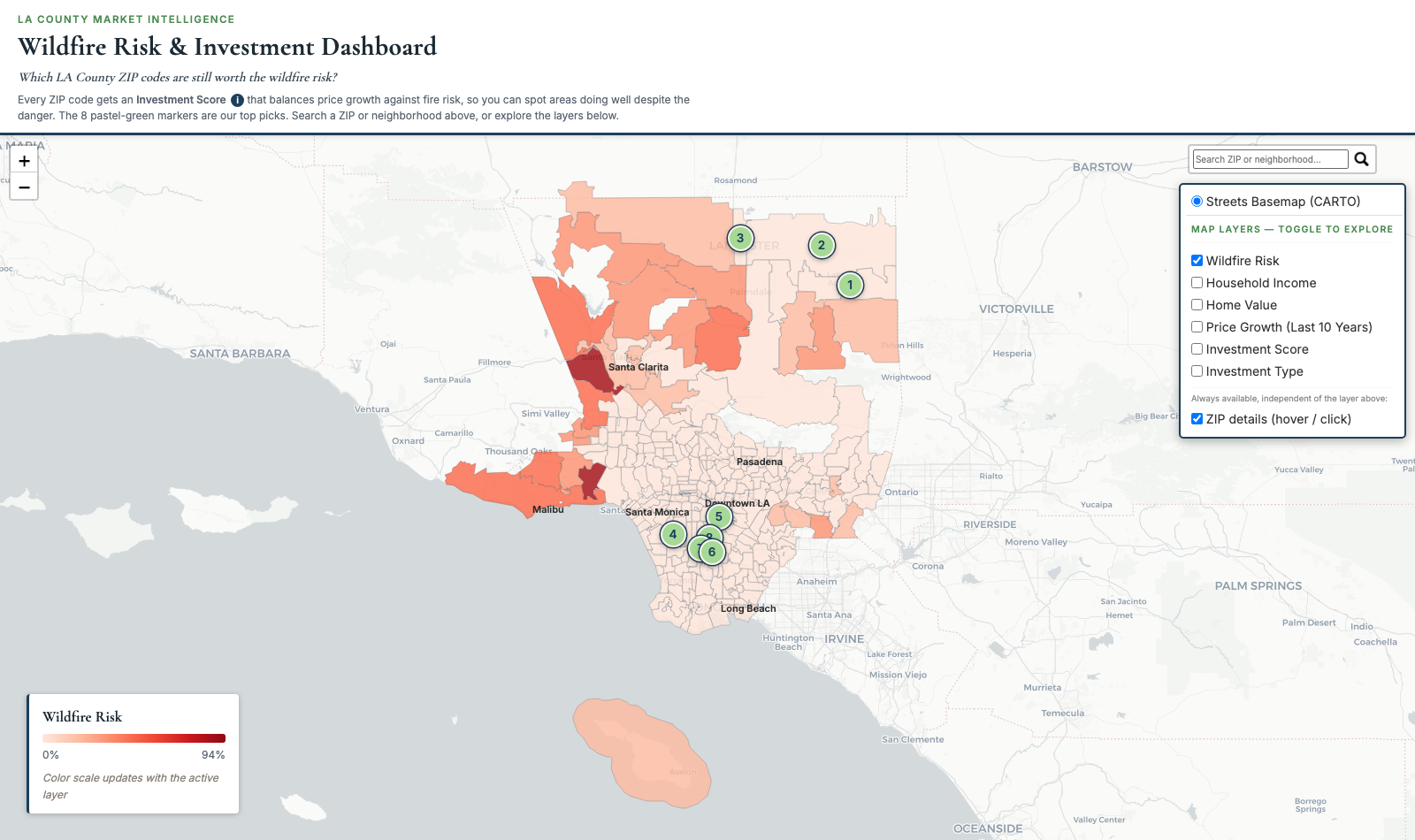
Added an Investment Score and ranked "Top Picks" markers.
Turns "here's where fires happened" into "here's where to look first."
Change 02
Before
Hex-dot texture map in a bright editorial palette - reads like a data-journalism graphic.
After
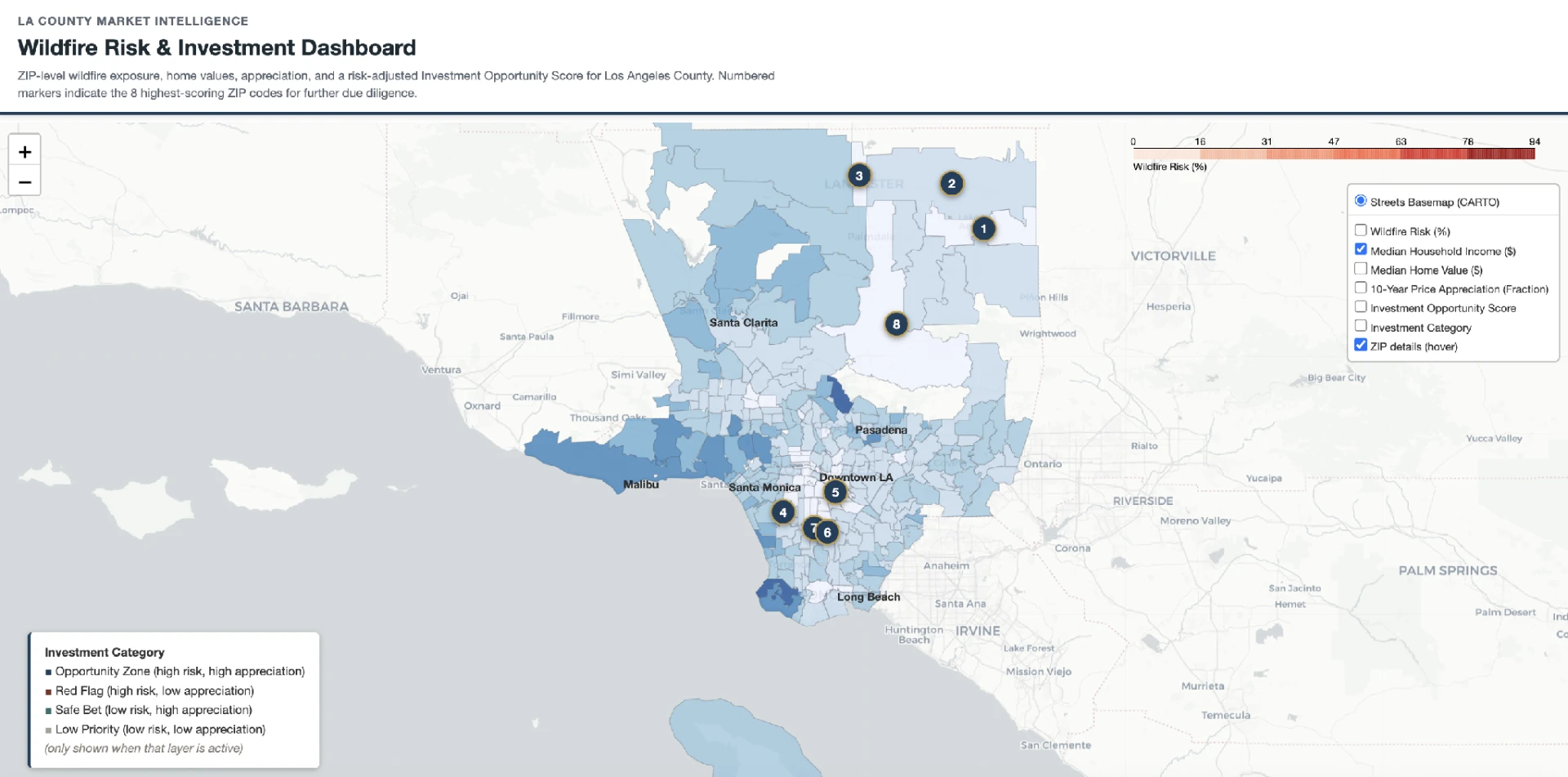
Smooth ZIP-boundary choropleth, closer to a Zillow/Redfin-style market map.
More context and more trust - testers described the result as "something Zillow or Redfin could build."
Change 03
Before
The legend was only ever correct for the default layer; switching layers left a stale or missing scale. A real bug, present since the midterm build.
After
One legend panel that re-renders to match whichever layer is active.
A color scale that doesn't match the screen is worse than no legend - it actively misleads.
Change 04
Before
"10-Year Price Appreciation (Fraction)," "Investment Opportunity Score," the percentile formula spelled out in the header.
After
Plain-language labels ("Price Growth," "Investment Score") and a one-click ⓘ explainer.
Answers the study's #1 finding - testers could see the score but not explain it, and wanted the dashboard to work "without me explaining it."
Change 05
Before
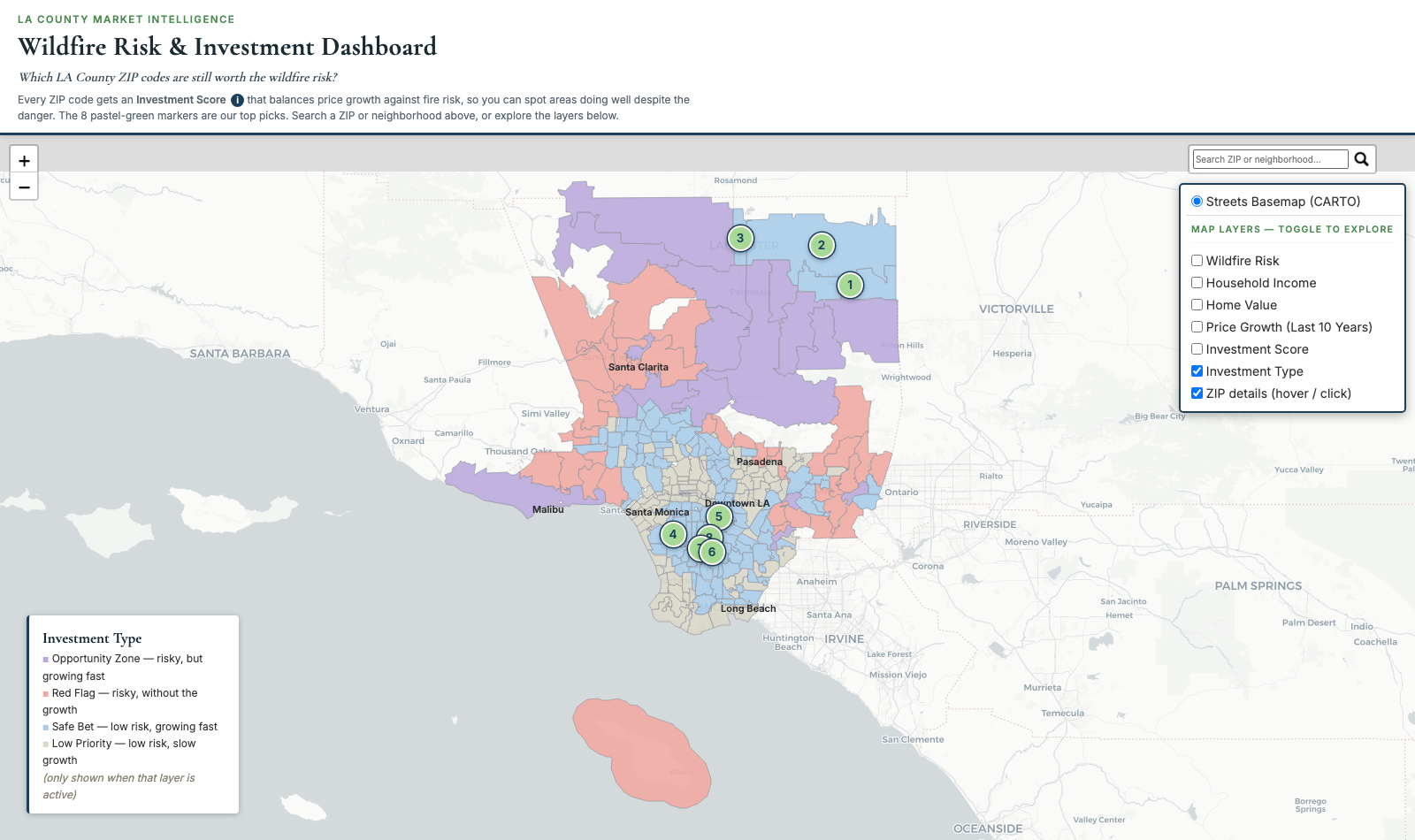
Dark, saturated "financial terminal" palette for the Investment Category layer.
After
Soft pastel palette plus matching pastel pins, checked for legibility on every layer.
More approachable on first impression without losing readability.
Change 06
Before
No search; only the numbered pins were clickable and ZIP polygons responded to hover.
After
ZIP/neighborhood search box, clickable ZIP polygons, enlarged and labeled layer control.
Testers asked for search directly and expected polygons to respond to a click.
Change 07
Before
Default system sans-serif throughout, same as any generic web page.
After
Cormorant Garamond for headlines, Inter for body copy and data.
A boutique real-estate feel instead of a generic corporate report.
Change 08
Before
Six togglable layers with no framing - users had to invent their own question.
After
The masthead opens with one question: "Which LA County ZIP codes are still worth the wildfire risk?"
Gives the visualization a single clear narrative instead of undirected exploration.
Bugs only a live map could surface
Layer-switch reliability
The original exclusivity logic reacted to Leaflet's internal overlayadd/overlayremove events, which could fire twice per click and sometimes leave a toggle with no visible change. Rewritten to react to the checkbox's own click event, then re-verified that exactly one layer is ever active.
Mobile layout
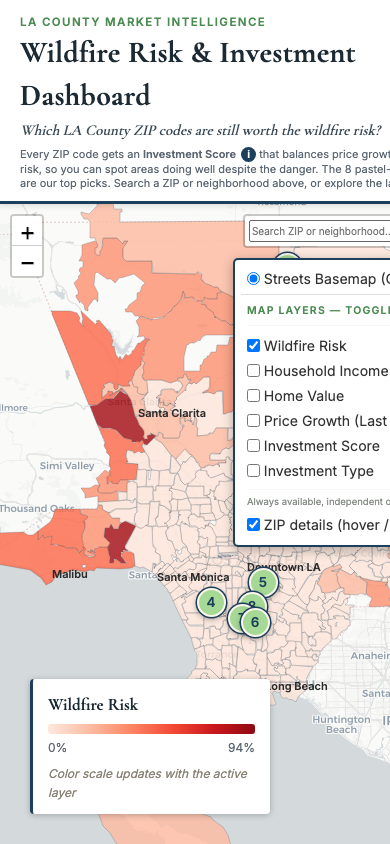
The masthead height was hardcoded for desktop line-wrapping, so on narrow screens the wrapped text overlapped the layer control. Fixed by measuring the rendered height in JS.
Pin numeral legibility
Zoomed into the numbered pins and found a bare "1" in the display serif rendering as a plain vertical stroke, easily misread as a capital "I." Pin numerals now use a sans-serif face with unambiguous digits.
Where it landed
The final dashboard as shipped, across desktop, mobile, and the Investment Type layer.